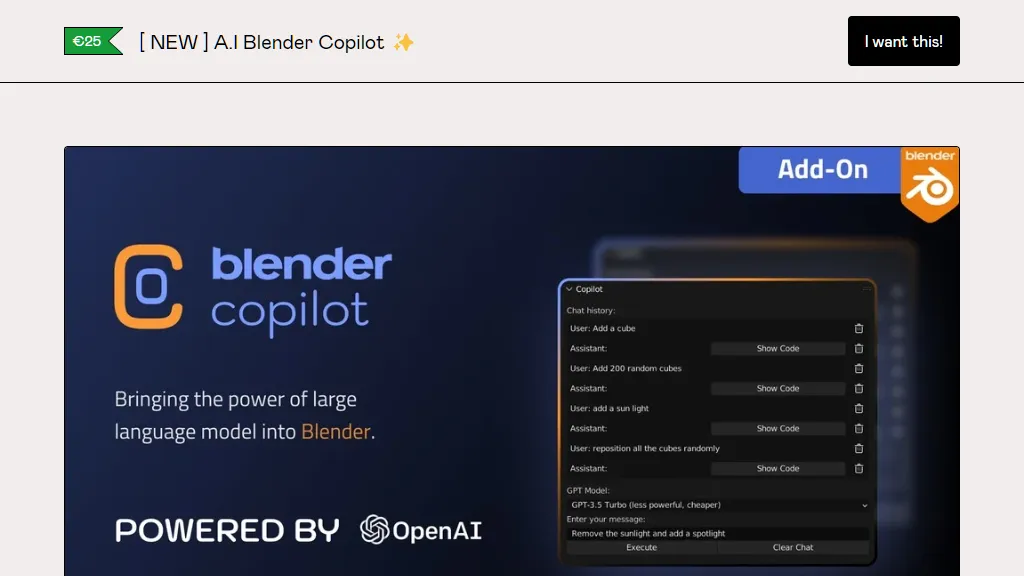
THE BIGGEST 3D GAME CHANGER SINCE 2015.🎥 MOVIE STUDIOS ALREADY USING IT !!! Don't you want to improve your renders to make it 100x better ?The clock is ticking, and the window to secure your position at the forefront of 3D excellence is narrowing. Don't let the opinion of others define your 3D journey. Embrace Blender Copilot now, or risk watching your peers surge ahead..."Yesterday I was struggling with UV maps, today I'm working for Pixar"Focus what you do the Best, BEING HUMANLY CREATIVE.& let the machines do the boring stuff for you →🔗 FEATURED ON :🌇 Experience New Horizons →Blender Copilot is your passport to artistic freedom, unlocking unlimited possibilities for exploration, learning, and growth. Reclaim the hours lost wrestling with UV maps and refining textures. Let Blender Copilot handle the technicalities while you focus on being the true creator you're meant to be.Join the ranks of 1000+ satisfied artists who have already experienced the transformation. Hear from passionate Blender Copilot users, whose artistic visions have been brought to life with ease.Are You Settling for Mediocre Art ? UNLOCK Your Potential with Copilot.. →⏱ Invest in a Life-Time of Creativity →Your transformative journey with Blender Copilot begins with a one-time investment, granting you a lifetime of creative freedom. We stand by our promise of delivering a revolutionary 3D modeling experience, or your Money back Guaranteed within 30 days, no questions asked. Your satisfaction is our utmost priority.Still Struggling with Tedious UV Maps? AI is Here to Rescue Your Creativity🏷 Limited Time Offer →As a pioneer of this artistic revolution, we're thrilled to offer you a limited-time opportunity. Use the code PIONEER during checkout to unlock a generous 20% OFF. Don't miss out on this chance to ignite your passion for 3D modeling and take control of your creative destiny.📦 WHAT DO I REALLY GET !? →x1 Personal Blender Copilotx1 Life-Time Licensex1 Limited in Time Offer∞ Effortless 3D Artistry∞ Streamlined Workflow∞ Imagination Ignited∞ Technicalities Tackled∞ Life-Time of Creative FreedomJoin the Revolution Now →💬 They talk about Us →F.A.Q Is Blender Copilot difficult to install and set up ?Not at all! Installing Blender Copilot is a straightforward process that can be completed in just a few easy steps. We provide a comprehensive installation guide to walk you through the process seamlessly.Will Blender Copilot take control of my creative process ?Absolutely not. Blender Copilot is designed to be your AI-powered ally, assisting you with tedious tasks and technicalities, allowing you to focus on your creative vision. It empowers you to unleash your imagination and retain full control over your artistry.What if I'm not satisfied with Blender Copilot's performance ?We have full confidence in Blender Copilot's transformative capabilities, which is why we offer a 30-day money-back guarantee. If for any reason you are not satisfied, simply contact us within 30 days of purchase, and we'll refund your investment, no questions asked.Can I use Blender Copilot with my existing projects and add-ons ?Absolutely! Blender Copilot is designed to seamlessly integrate with your existing projects and add-ons. It complements your current workflow, enhancing your efficiency without disrupting your creative process.Join the Revolution Now →Find Our Passionate Community On:InstagramThere's An AI For ThatProduct HuntYouTube⚙️ Installation GuideYou need to have API Key from OpenAI. You can find it in the OpenAPI platform dashboard. Click here to navigate to OpenAPI DashboardInstalling Blender Copilot is a straightforward process that can be completed in just a few steps. Download the Blender Copilot add-on file. The file will be in a .zip format.Open Blender and navigate to the Preferences menu. This can be done by clicking on the Edit > Preferences.In the Preferences menu, select the Add-ons tab. This tab displays a list of all the add-ons installed in your Blender application.Click on the Install button located at the top right-hand corner of the Add-ons tab.Navigate to the downloaded Blender Copilot add-on file and select it.Once the installation is complete, you can activate the Blender Copilot add-on by clicking on the checkbox next to its name in the Add-ons list.Add the API key on the API Key field inside the plugin config.You are ready to go !