Tip Of AI
Discover what you can do with AI
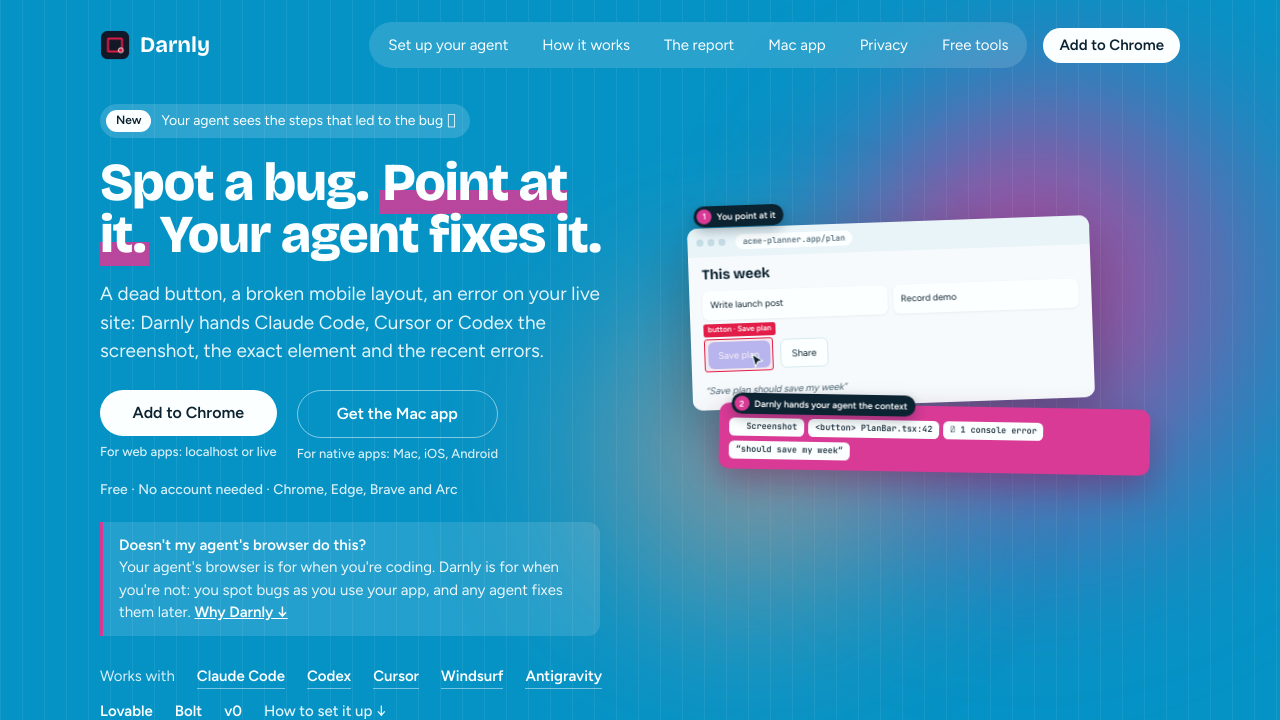
Darnly is a browser extension and Mac menu bar application that helps developers report software bugs directly to AI coding agents. Users can press a keyboard shortcut, select the broken element, describe the expected behavior, and continue testing without opening a separate chat or manually preparing screenshots. The tool captures a screenshot with the selected area marked, the page address, element selector, text, HTML, styles, source file, component information, recent user steps, and relevant errors. It can also record failed requests, slow requests, accessibility identifiers, and application logs for supported native apps. Console errors and request information can cover the previous 60 seconds, while sensitive information such as passwords, tokens, cookies, card numbers, and API keys is hidden automatically. Reports can be saved locally in a project folder or sent to an optional cloud inbox through MCP. Darnly works with Claude Code, Cursor, Codex, Windsurf, Antigravity, Lovable, and Bolt. The slash command or equivalent agent instruction lets an AI agent review and fix multiple captured bugs. It supports localhost, live websites, Mac applications, iOS Simulator, and Android Emulator. The Chrome extension is free, requires no account, and works with Chrome, Edge, Brave, and Arc. The Mac application requires macOS 14 or later.